Accessibility scores are a way of measuring how accessible your files on Blackboard are.
Accessibility scores are only visible to instructors in an Ally course- however, it can be useful to be mindful of this when in situations in which you might be sharing your screen (such as when logging into Blackboard during class).
To see your Accessibility score, hover your mouse over the odometer next to your content.
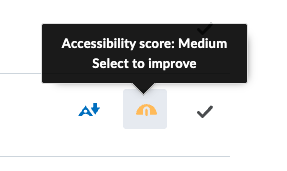
Your score will be displayed- additionally, both the color (red to green) and the position (left to right) of the odometer can provide you with visual information of how accessible the piece of content is.
Clicking on the “Click to improve” tag will prompt Ally to assist you in fixing this content to improve its accessibility score. Ally will be able to walk you through many of these fixes, but you can check out our fixes tutorials here.